

To password protect a PDF, encrypt it with an open password: without the password, no PDF reader can show its pages. Protect PDF encrypts the file with AES-256 inside your browser, so neither the document nor the password is uploaded anywhere.
When a password is the right choice
A password suits a document that has to travel through places you do not control: a payslip or tax form sent by email, a medical letter shared with a family member, or a contract stored on a USB stick. If the file only ever lives in a shared drive where you already choose who has access, the drive's own sharing settings usually do the job, and a password just adds one more thing to remember.
How to password protect a PDF step by step
- Open Protect PDF and choose your PDF.
- Type a password, then type it again. Use Show password to check for typing mistakes.
- Select Protect PDF and download the protected file. Store the password somewhere safe before you share or delete anything.
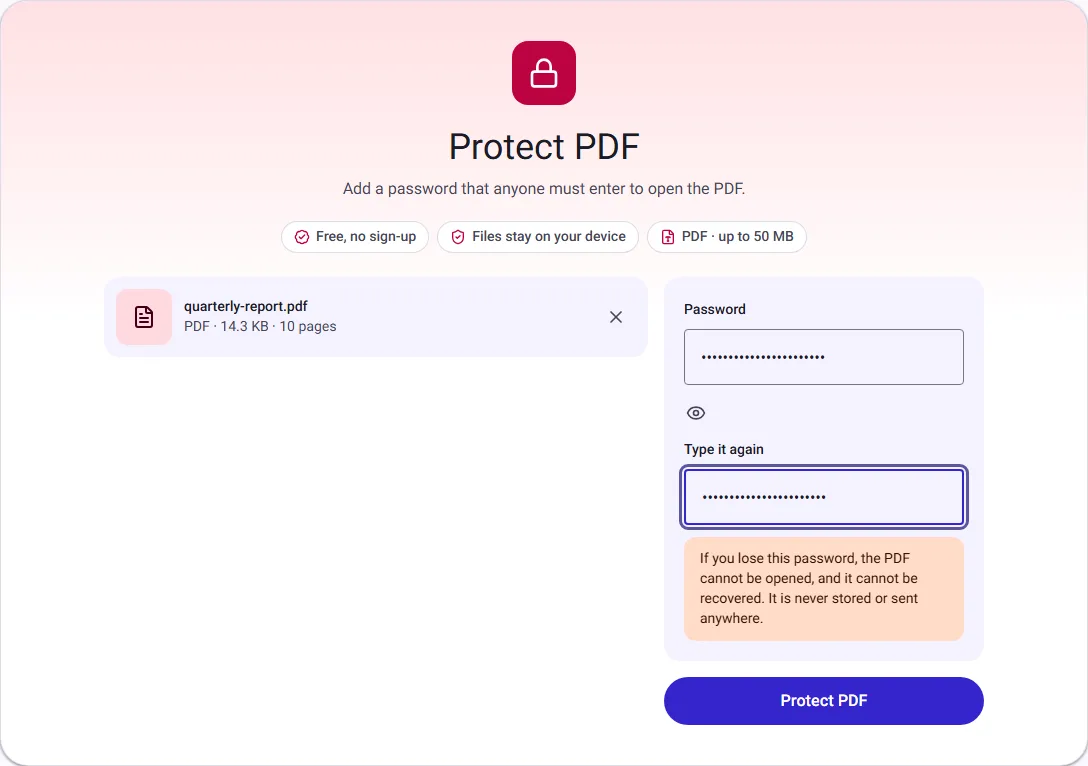
We protected a 10-page document this way. The file grew slightly, from 4.3 KB to 5.2 KB, because encryption adds a small amount of information that readers need to check the password. Our automated tests confirm that the protected file cannot be opened without the password, and that all its pages open unchanged with it.
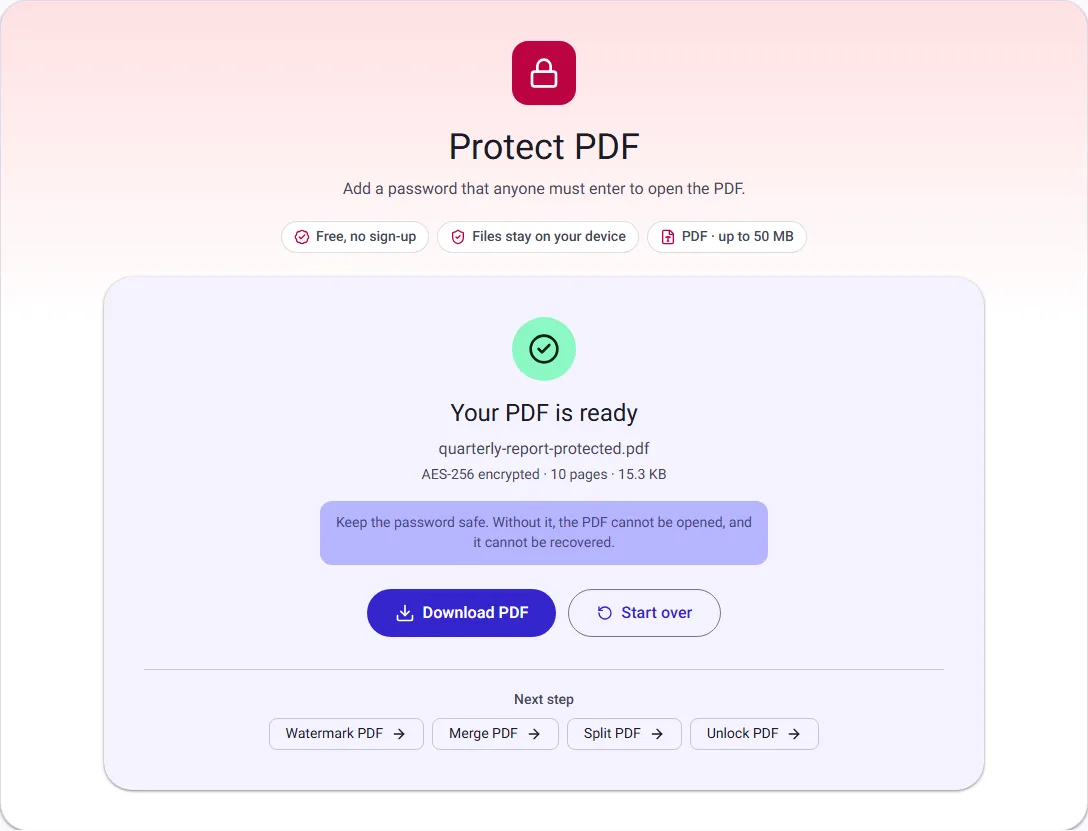
What the password protects
An open password encrypts the content of the PDF. The pages, text and images are scrambled, and only someone with the password can turn them back into a readable document. This protects the file wherever it goes: attached to an email, stored in a shared folder, or copied to a USB stick.
Our tool uses AES-256, the strongest method in the PDF standard. The same password also allows changes, so you are not locked out of editing your own document.
What it does not protect
- A weak password. Encryption is only as strong as the password. Software can try millions of guesses per second against short or common passwords, so use a passphrase of several unrelated words instead.
- Anyone you give the password to. Once someone opens the PDF, they can save, print or copy it.
- A lost password. There is no reset. Without the password, nobody can open the file, including us. Keep your original unprotected copy, or save the password in a password manager.
Some PDF tools also offer "permissions" that restrict printing or copying. We do not offer them, because many PDF readers ignore those settings once the file is open, so they give a false sense of security.
Choosing a password that holds up
Length beats cleverness. A passphrase of four or five unrelated words, such as the one in the screenshot, is both easier to remember and much harder to guess than a short password full of symbols.
- Do not use names, birthdays or words connected to the document; they are the first things anyone would try.
- Use a different password for each document you protect, so one leak does not open them all.
- Store it in a password manager, or somewhere separate from the PDF.
Sharing the password safely
Send the password a different way from the file. If the PDF goes by email, give the password in a phone call or a text message. Anyone who intercepts the email then has a locked file and nothing to open it with.
Removing the password later
If you need an unprotected copy again, for example to edit or merge it, open the file in Unlock PDF and type the password. It saves a copy without encryption. Unlock PDF needs the correct password; it cannot remove a password you do not know.
Protection versus watermarks
A password stops people opening the file. A watermark, such as CONFIDENTIAL across each page, labels the document but can be removed with a PDF editor. They work well together: add the label with Watermark PDF first, then protect the result.
Very old PDF readers
AES-256 encryption in this form arrived around 2010. Current versions of Adobe Acrobat Reader, Apple Preview, and browsers such as Chrome, Edge, Firefox and Safari open these files. Readers from before then may not.
Questions people ask
Can I protect a PDF on my phone? Yes. Protect PDF works in the browser on phones and tablets the same way as on a computer.
Can I protect several PDFs at once? Protect PDF takes one file at a time. To send several documents behind one password, join them first with Merge PDF, then protect the merged file.
Will my email or cloud drive still find the file by searching its text? Usually not. The text is encrypted, so search tools cannot read it without the password. Give the file a clear name so you can find it by name instead.
How we measured
On 30 September 2026 we used our own Protect PDF tool in Chrome on a 10-page text PDF we generated for testing, with a four-word passphrase. On 17 October 2026 we repeated it with a 10-page sample report (14.3 KB, no real data) for the screenshots. Sizes are the downloaded files, in KB of 1024 bytes. The encryption method (AES-256, PDF security handler revision 6) is checked by our automated tests.