

WebP to PNG
Turn a WebP image into a PNG file, with transparency kept.
- Free, no sign-up
- Files stay on your device
- JPG, PNG or WebP / up to 25 MB
Step by step
How to convert WebP to PNG
Step 1: Drop a WebP image on the box above, or select Choose file.
Step 2: Check the file details that appear once the image is read.
Step 3: Select Convert to PNG, then Download PNG to save it.
Worked example
A WebP photo and a transparent map
A 1.1 MB WebP photo of 3882 × 2912 pixels became a 12.4 MB PNG, more than ten times larger, with the same picture. For photos, WebP to JPG gives a far smaller file.
A transparent map saved as WebP (258 KB) became a 369.1 KB PNG with its transparency intact. That is what PNG is for: graphics, logos and anything with a see-through background.
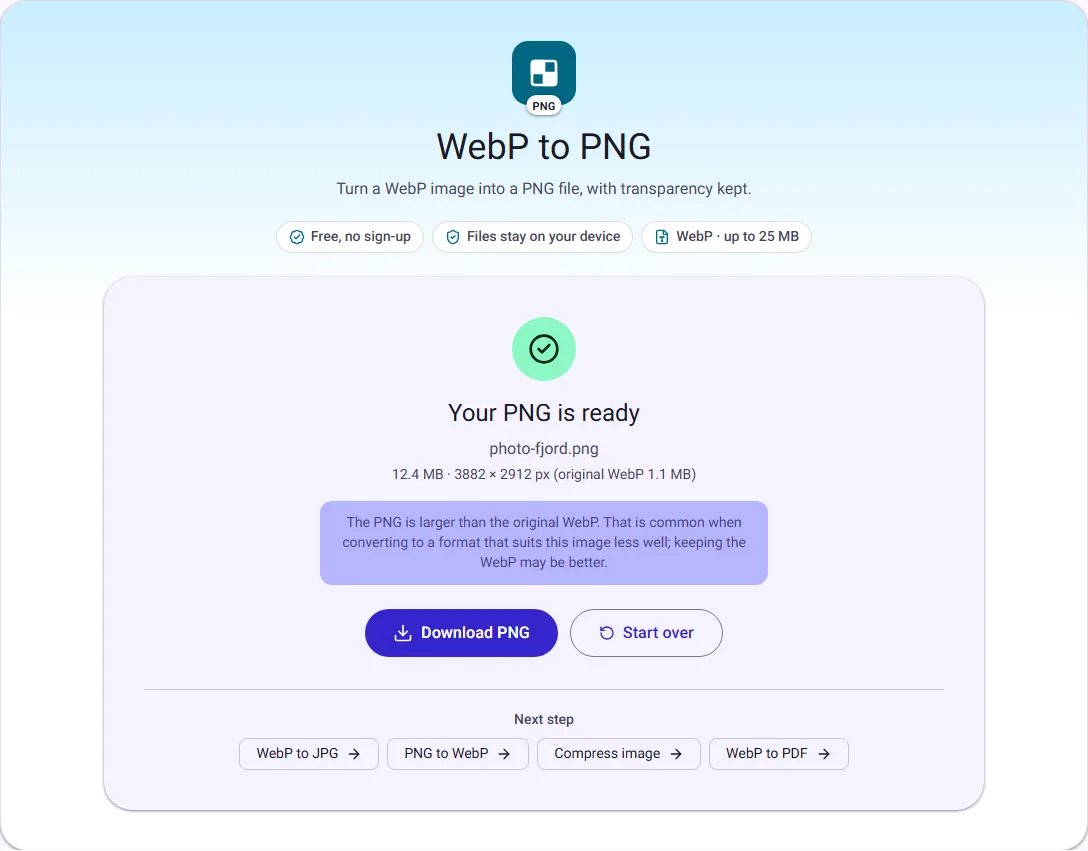
We ran this ourselves on 17 October 2026 with public-domain sample files. Your sizes will differ with your own files. The full walk-through is in What Is a WebP File, and How Do You Open or Convert It?.
When you need PNG instead of WebP
Many websites now send images as WebP, so a picture you save from a browser often ends up as a .webp file. Some older editors, office programs, printing services and upload forms still refuse WebP. PNG opens almost everywhere and is a safe choice for graphics, logos and screenshots.
If the image is a photo and file size matters, WebP to JPG gives a much smaller file than PNG.
Transparency stays transparent
WebP can store transparent and semi-transparent pixels, and so can PNG. This tool keeps the transparency exactly, so a logo with a see-through background stays see-through in the PNG.
Lossy WebP images already lost some detail when they were first saved. The PNG preserves the image exactly as it is now, without adding further loss, but it cannot restore what was removed.
Animated WebP files
PNG as used here holds a single still image, so animated WebP files are not converted. You will see a clear message rather than a PNG that silently shows only the first frame.