

JPG to PNG
Turn a JPG or JPEG image into a PNG file that looks the same.
- Free, no sign-up
- Files stay on your device
- JPG, PNG or WebP / up to 25 MB
Step by step
How to convert JPG to PNG
Step 1: Drop a JPG or JPEG image on the box above, or select Choose file.
Step 2: Check the file details: format, size and dimensions appear once the image is read.
Step 3: Select Convert to PNG, then Download PNG to save the new file.
Worked example
Why a photo gets much bigger as PNG
We converted a 3882 × 2912 pixel JPG photo of 2.9 MB. The PNG was 13.7 MB, almost five times larger, with exactly the same picture.
PNG stores every pixel without the compression that made the JPG small, and it cannot bring back detail the JPG already left out. Convert to PNG when you need to edit a picture repeatedly or a program requires PNG, not to improve a photo.
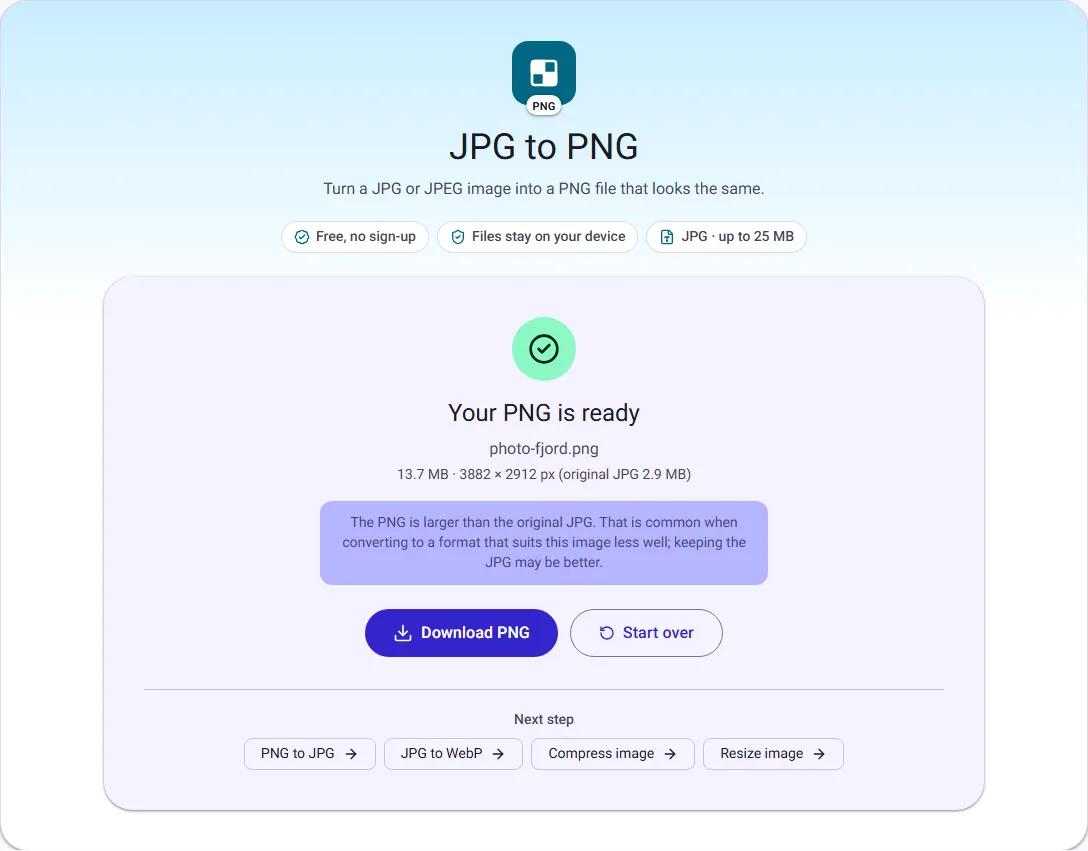
We ran this ourselves on 17 October 2026 with public-domain sample files. Your sizes will differ with your own files. The full walk-through is in JPG vs PNG: Which Image Format Should You Use?.
Why convert a JPG to PNG
PNG stores every pixel exactly, so editing and saving a PNG again and again never adds new compression damage. That makes PNG a good working format when you plan to crop, annotate or combine an image in several steps, or when a design tool, printer or upload form asks for PNG.
Converting does not restore detail the JPG already lost. Blocky edges or smudged text in the original stay the same in the PNG; they just stop getting worse.
Expect a larger file
A PNG of a photo is usually several times larger than the JPG it came from, because PNG compression is designed for flat colours and sharp edges rather than photographic detail. The result screen shows the new size next to the original, so you can decide whether the larger file is worth it.
If you only need a smaller or more widely accepted file, keep the JPG, or use Compress image instead.
Rotation, colour and metadata
Phone cameras often store photos sideways with a note that says how to turn them. This tool applies that note, so the PNG is upright the way you see the photo on your phone. Colours are converted to sRGB, including print-style CMYK JPGs, which are converted with their embedded colour profile.
Camera details such as the date, the device and GPS location are not copied into the PNG.