

To sign a PDF online, draw or type your signature, place it on the signature line, and save a new copy of the PDF. Sign PDF does this in your browser: your document and your signature are never uploaded. What you add is a picture of your signature, which is what most everyday letters, forms and agreements ask for. It is not a certificate-based digital signature, and the difference matters for some documents.
How to sign a PDF step by step
- Open Sign PDF and choose your PDF. The first page opens large.
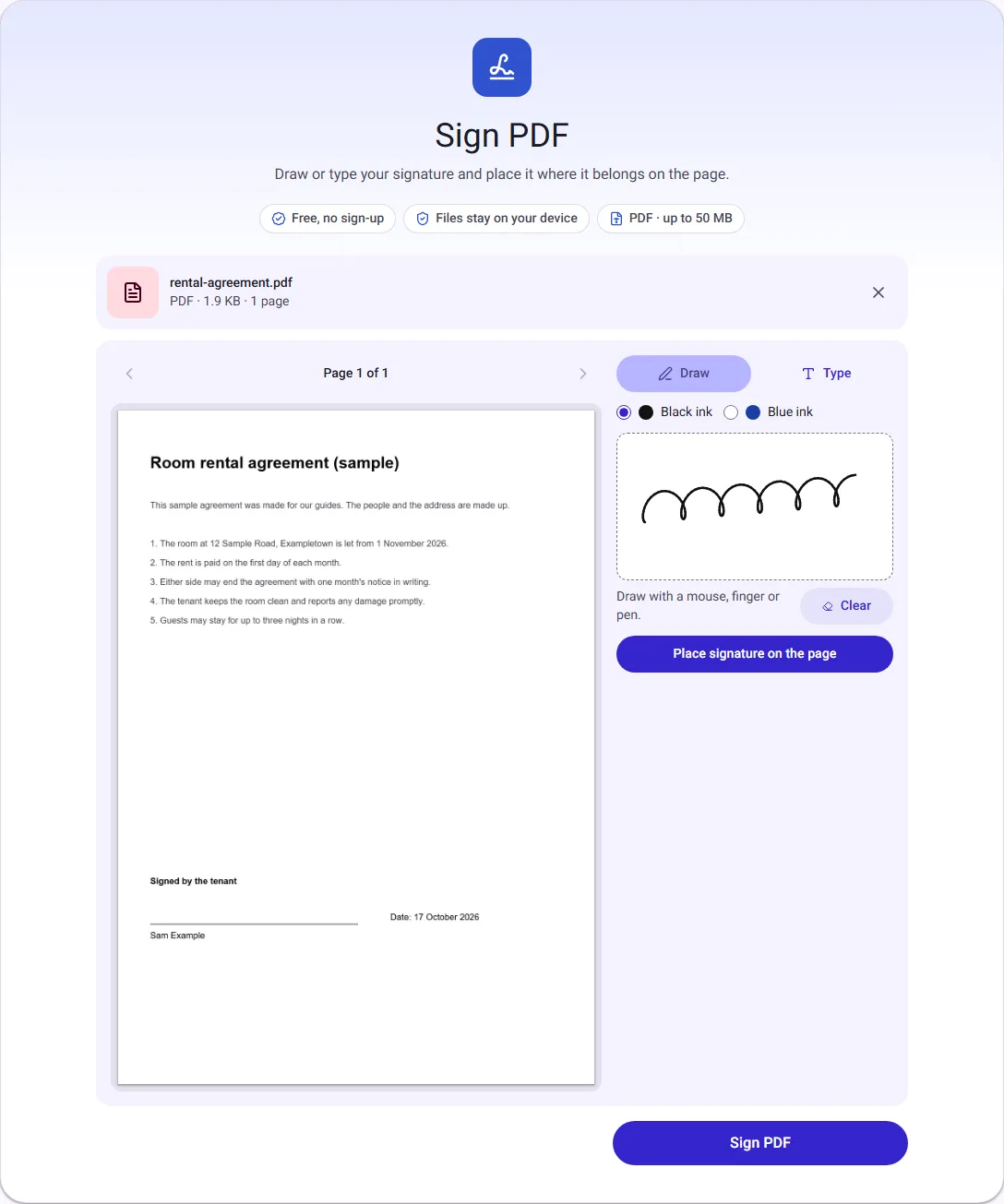
- Draw your signature in the box with a mouse, a finger or a pen, or switch to Type and type your name. Choose black or blue ink.
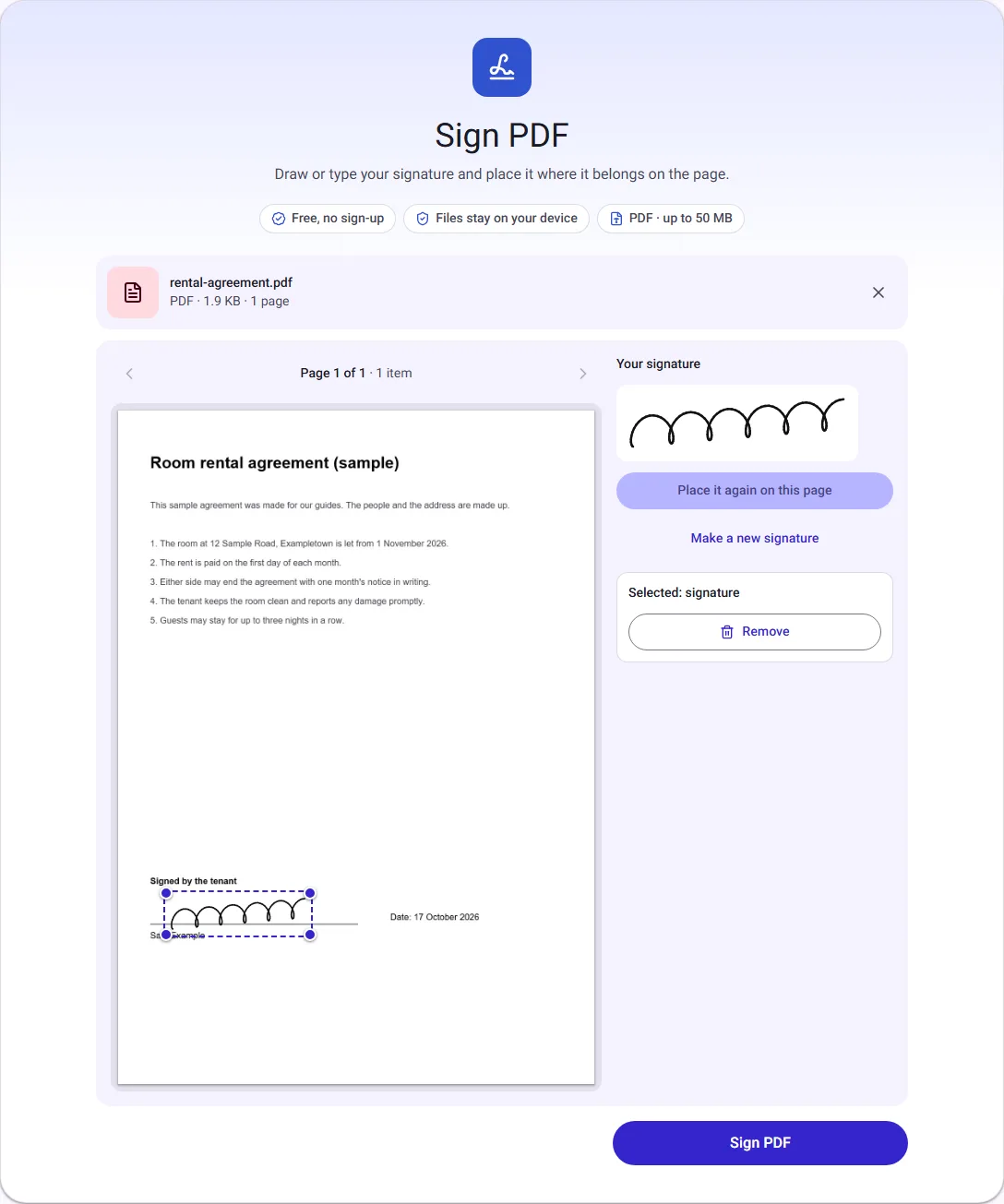
- Select Place signature on the page, then drag the signature onto the line. Drag a corner to make it bigger or smaller.
- Select Sign PDF, then Download PDF, and open the file to check it.
We signed a made-up, one-page room rental agreement. This is the signature drawn with a mouse:
After placing it, we dragged it onto the line above the printed name:
Draw or type?
Drawing gives a signature that looks like yours. A finger on a phone or a pen on a tablet usually looks more natural than a mouse; with a pen, the line follows how hard you press. Sign a little larger than you would on paper, because the signature is trimmed to the ink and you can make it smaller on the page.
Typing sets your name in a handwriting-style font from your device. It is quicker and neat, and it is often enough for forms that only ask you to "sign or type your name". For anything where the person reading it expects your usual signature, draw it instead.
Either way, the signature has a transparent background, so it sits on the line without a white box around it, even on a coloured or shaded form.
What happens to the PDF
Signing adds your signature to the page and keeps everything else as it was. In our test:
- The file went from 1.9 KB to 6.3 KB. The difference is the signature picture.
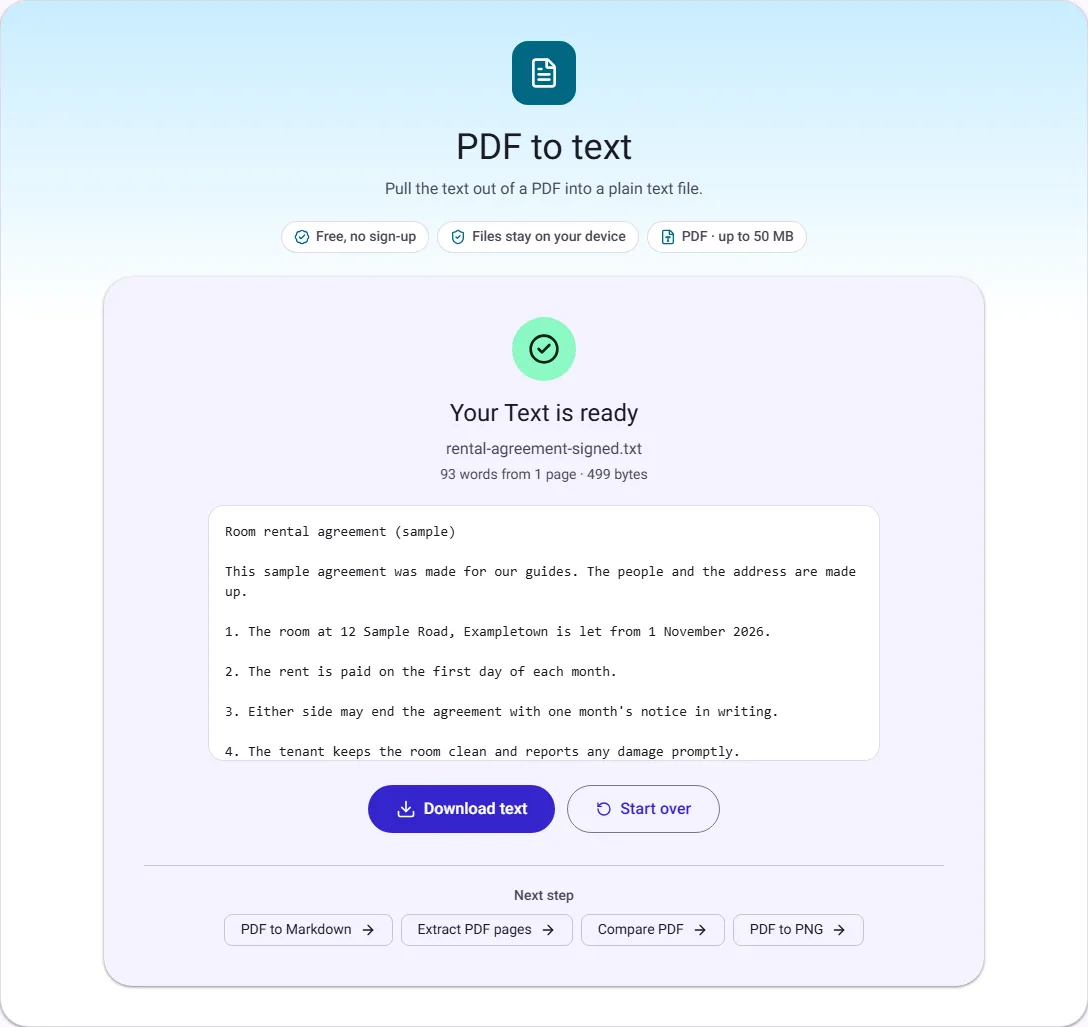
- The agreement's text stayed text. We ran the signed file through our PDF to text tool and it read the agreement's text, 93 words, so the document can still be searched and copied.
- The pages were not redrawn, so the original's quality is unchanged.
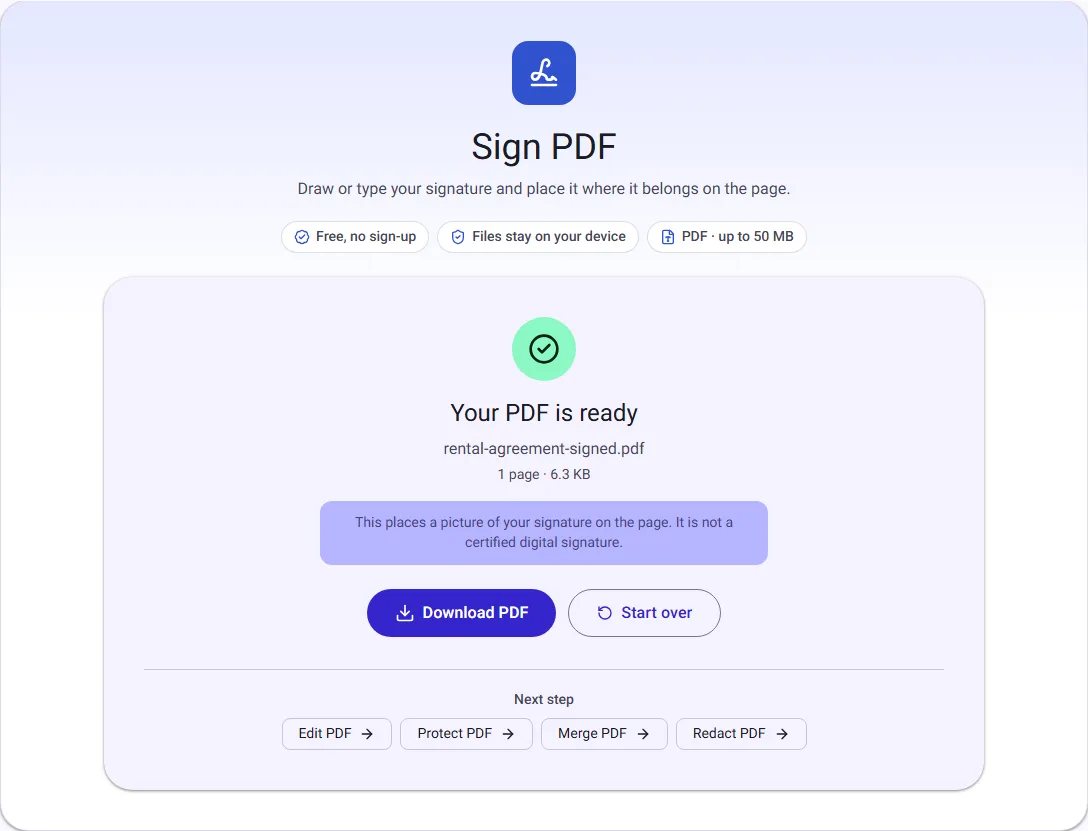
A picture of a signature vs a digital signature
These two are often confused, and many "sign online" pages do not say which one you get.
| Picture of a signature (our tool) | Certificate-based digital signature | |
|---|---|---|
| What it is | An image of your signature placed on the page | Cryptographic data tied to a certificate that identifies you |
| Proves who signed | No | Yes, through the certificate |
| Shows later changes | No | Yes, the signature shows as broken |
| What you need | Nothing | A certificate from an approved provider, usually paid |
| Typical uses | Letters, everyday forms, many agreements, HR papers | Tax and company filings, some contracts, government forms |
Whether a picture of a signature is enough depends on the document and the law where you are. Some examples:
- European Union. The eIDAS regulation says an electronic signature cannot be refused as evidence only because it is electronic. It defines three levels: simple, advanced and qualified. A picture of a signature is a simple one; only a qualified electronic signature has the same legal effect as a handwritten one in every EU country.
- United States. The ESIGN Act says a signature or contract may not be denied legal effect only because it is electronic, with exceptions such as wills.
- India. The Information Technology Act, 2000 recognises electronic signatures made with a digital signature certificate or another method approved under the Act. It does not apply to wills, powers of attorney, trusts, negotiable instruments other than cheques, or contracts to sell property.
This is general information, not legal advice. If a document asks for a "digital signature", a "DSC" or a "qualified signature", a picture will not do: use the service the sender names. If you are unsure, ask whoever sent you the document.
Initials on every page
Some agreements ask for initials on each page. Make your initials as the signature (draw them, or type them), place them on page 1, then use the arrows above the page to go to the next page and select Place it again on this page. Repeat for each page, then sign the last page with your full signature using Make a new signature.
Before and after signing
- Fill in the form first. If the PDF has fill-in fields, complete them with Fill PDF form, download, then sign that copy.
- Send it safely. If the signed document contains personal details, you can password protect the PDF before emailing it, and send the password a different way.
- Combine papers. If the sender wants the signed agreement and other documents in one file, join them with Merge PDF.
- Keep a copy. Save the signed PDF somewhere you will find it again; the signature itself is not stored anywhere.
Questions people ask
Can I sign on my phone? Yes. Draw with your finger in the signature box, then drag the signature into place on the page.
Is my signature saved? No. It exists only in the open page and is forgotten when you close it. Nothing is uploaded.
Can I sign a password-protected PDF? If you know the password, remove it with Unlock PDF, sign the unlocked copy, then protect it again if you need to.
Can someone copy my signature from the PDF? Anyone who has the file can take a picture of what is on the page, as they could with a signed paper letter. Send signed documents only to people who need them.
How we measured
On 17 October 2026 we made a one-page sample rental agreement with invented names (1.9 KB), signed it with our own Sign PDF tool in Chrome using a signature drawn with a mouse, and read the signed file back with PDF to text. The sizes and word count are the ones the tools showed, and the screenshots come from that run. Our automated tests check that the signature is placed with a transparent background and that the original text is kept. Sizes are in KB of 1024 bytes. Legal sources were checked on the same day.