

The photo and signature size for an exam form is set by that exam's own notice, and it differs between SSC, UPSC, IBPS and NEET. In the 2026 notices, IBPS wants a 200 × 230 pixel photo of 20 to 50 KB and a 140 × 60 pixel signature of 10 to 20 KB; UPSC wants a photo of 20 to 200 KB and three signatures in one image of 20 to 100 KB; SSC wants only a signature, 10 to 20 KB; NEET wants a photo of 10 to 200 KB and a signature of 10 to 100 KB. All of them want JPG. Photo and signature for online forms makes a file that meets each of these rules in your browser.
Rules change with each exam cycle, so treat the table below as a starting point and open the notice for the exam you are actually applying for. We checked every figure in it on 29 October 2026.
Photo and signature size for each exam (2026 notices)
| Upload | Pixel size | File size | From |
|---|---|---|---|
| IBPS photo | 200 × 230 (preferred) | 20–50 KB | IBPS CRP PO/MT-XVI, How to Apply |
| IBPS signature | 140 × 60 (preferred) | 10–20 KB | same |
| IBPS left thumb impression | 240 × 240 (preferred) | 20–50 KB | same |
| IBPS handwritten declaration | 800 × 400 (preferred) | 50–100 KB | same |
| UPSC photo | not set | 20–200 KB | UPSC CAPF (AC) 2026 notice |
| UPSC signature (three, one image) | not set | 20–100 KB | same |
| SSC signature | about 6 × 2 cm on paper | 10–20 KB | SSC Stenographer 2026 notice |
| NEET (UG) photo | not set | 10–200 KB | NTA Information Bulletin, NEET (UG) 2026 |
| NEET (UG) signature | not set | 10–100 KB | same |
| Passport photo | 630 × 810 | not set | Passport Seva photo guidelines |
Two exams also take a photo while you fill in the form. SSC captures your photo live, which is why it asks you to upload only a signature. UPSC and IBPS ask for a live photo as well as the uploaded one, so use a recent photo that still looks like you.
Why the minimum KB is the hard part
Most advice about form photos is about getting the file under a limit. For small pixel sizes, the opposite happens: the file comes out below the minimum, and the form rejects it as too small.
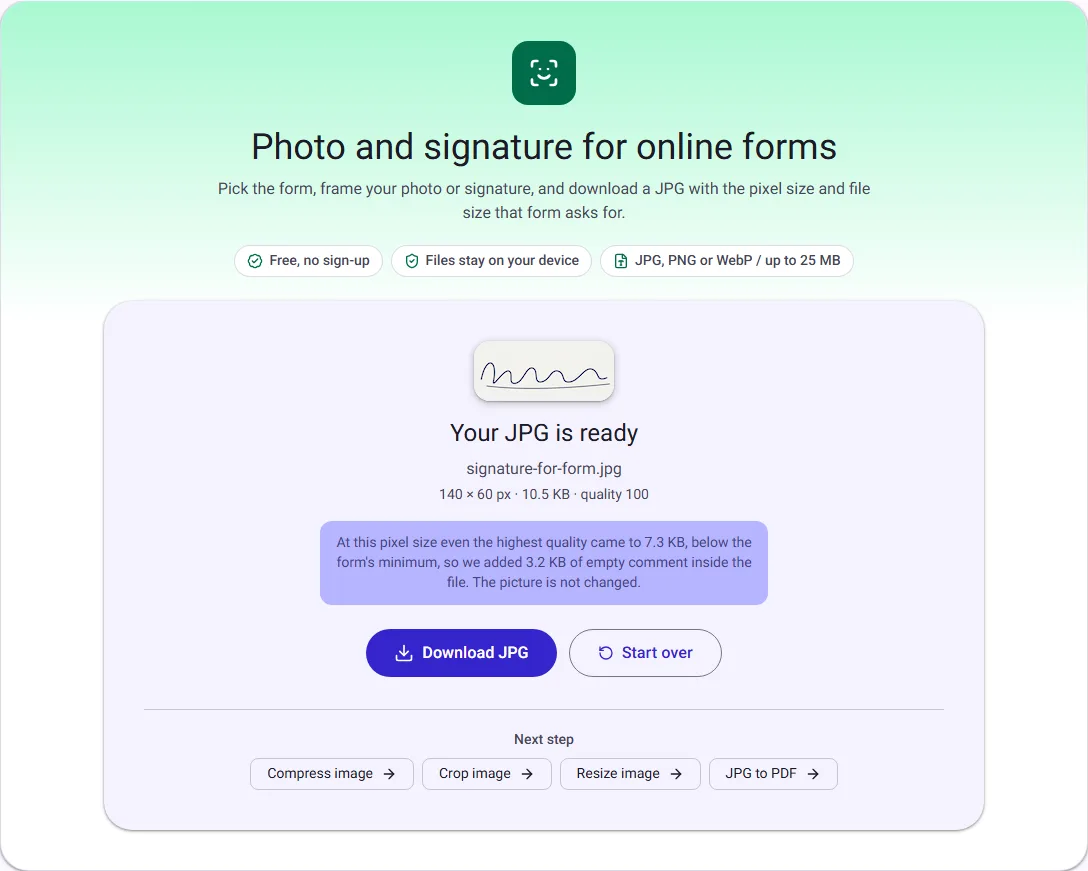
We tested this with a drawn portrait and a drawn signature (see how we measured at the end). Cut to IBPS's 200 × 230 pixels, the photo was only 23.3 KB even at the highest JPG quality, just above the 20 KB minimum. The signature at 140 × 60 pixels was 7.3 KB at the highest quality, below IBPS's 10 KB minimum. A signature is mostly plain paper, and plain areas compress to almost nothing.
Lowering the quality makes this worse, and making the picture bigger than the form asks for breaks the pixel rule. So the tool does two things in order:
- It picks the highest quality that keeps the file under the maximum, rather than compressing as hard as it can.
- If even the highest quality is under the minimum, it adds an empty comment inside the JPG to make up the difference, and tells you so. The picture is not changed, and image viewers ignore the comment.
The same thing is worth knowing if you resize by hand: when a signature is "too small in KB", don't scan it bigger; save it at a higher quality first.
How to make your photo upload-ready, step by step
- Open Photo and signature for online forms and drop your photo on the box. JPG, PNG and WebP work, from a scanner or a phone.
- Under Form, choose the exam and what you are uploading, for example IBPS photo. The box on the picture takes the shape of the form's pixel size, centred.
- Drag the box so it covers your head and the top of your shoulders, with a little space above your head.
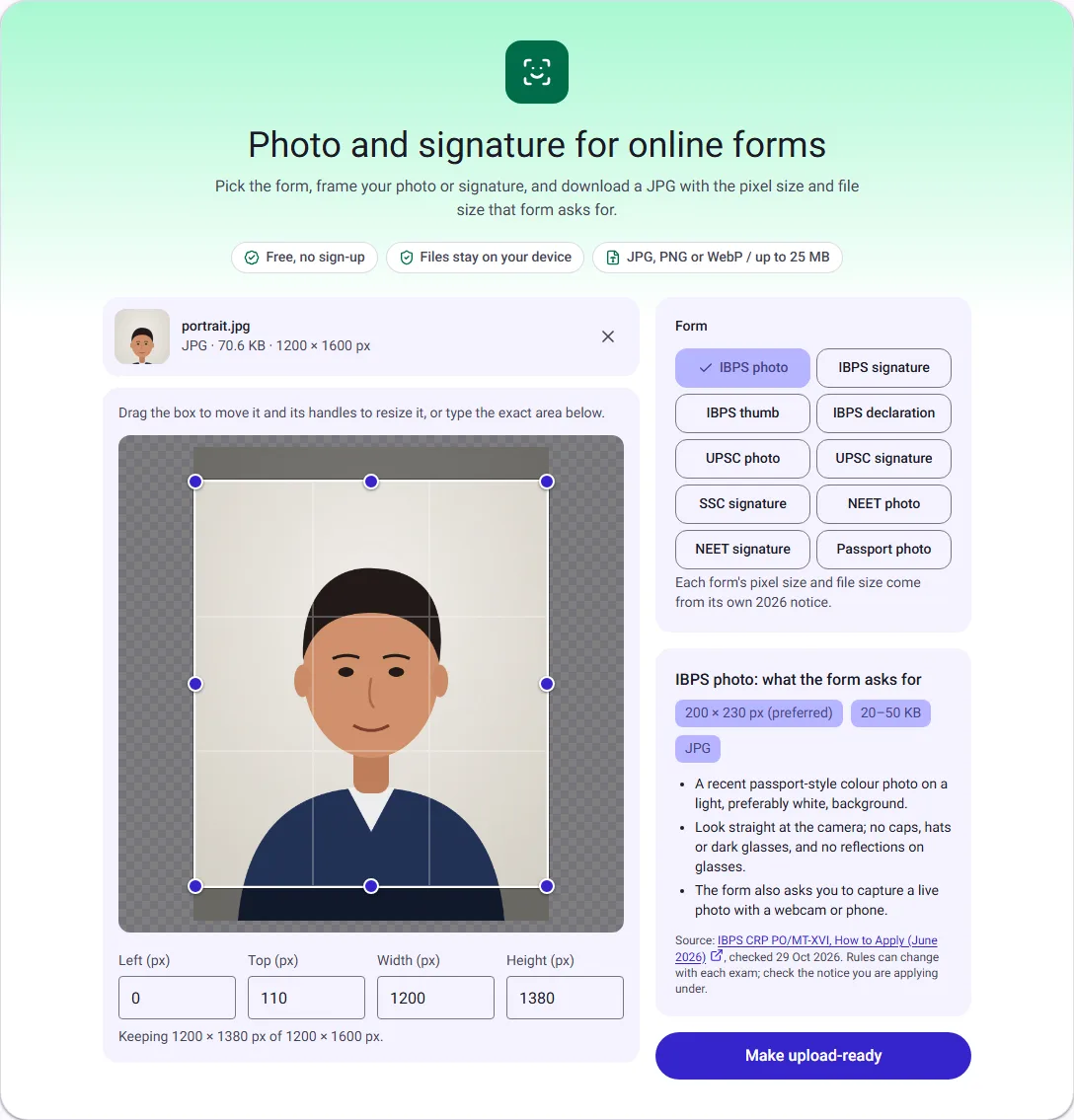
- Read the panel under the form list. It repeats what the notice asks for, beyond the size: background, glasses, caps, and so on, with a link to the notice and the date we checked it.
- Select Make upload-ready. The result shows the pixel size, the file size and the JPG quality used, so you can compare them with the notice before you upload.
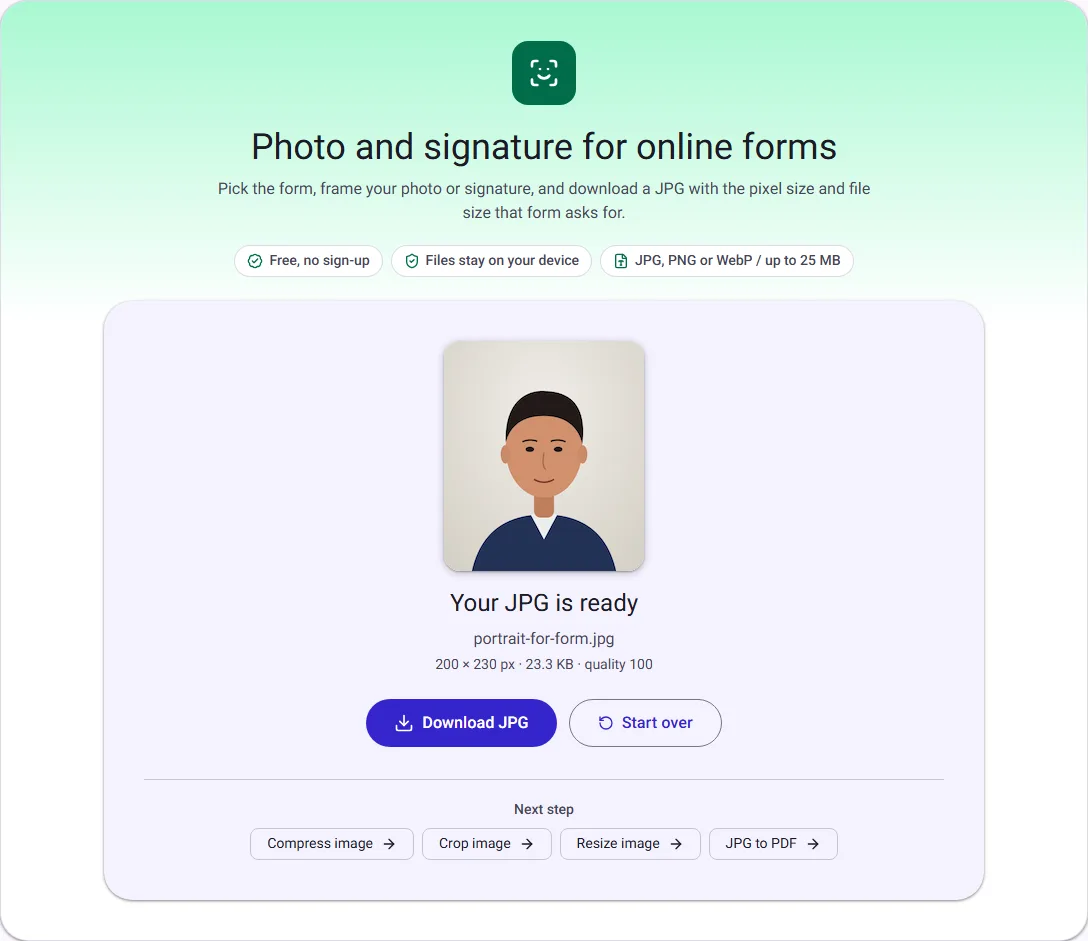
- Select Download JPG and upload the file to the form.
How to resize a signature for IBPS, SSC or NEET
Sign on plain white paper with a black ink pen, then scan it or photograph it from directly above in daylight. IBPS asks for a scan, does not accept a signature in capital letters, and expects it to match the one you sign on the call letter and attendance sheet.
In the tool, choose IBPS signature. The box takes the 140 × 60 shape. Drag it so the signature fills it with a small margin; too much empty paper makes the signature tiny at 140 pixels wide.
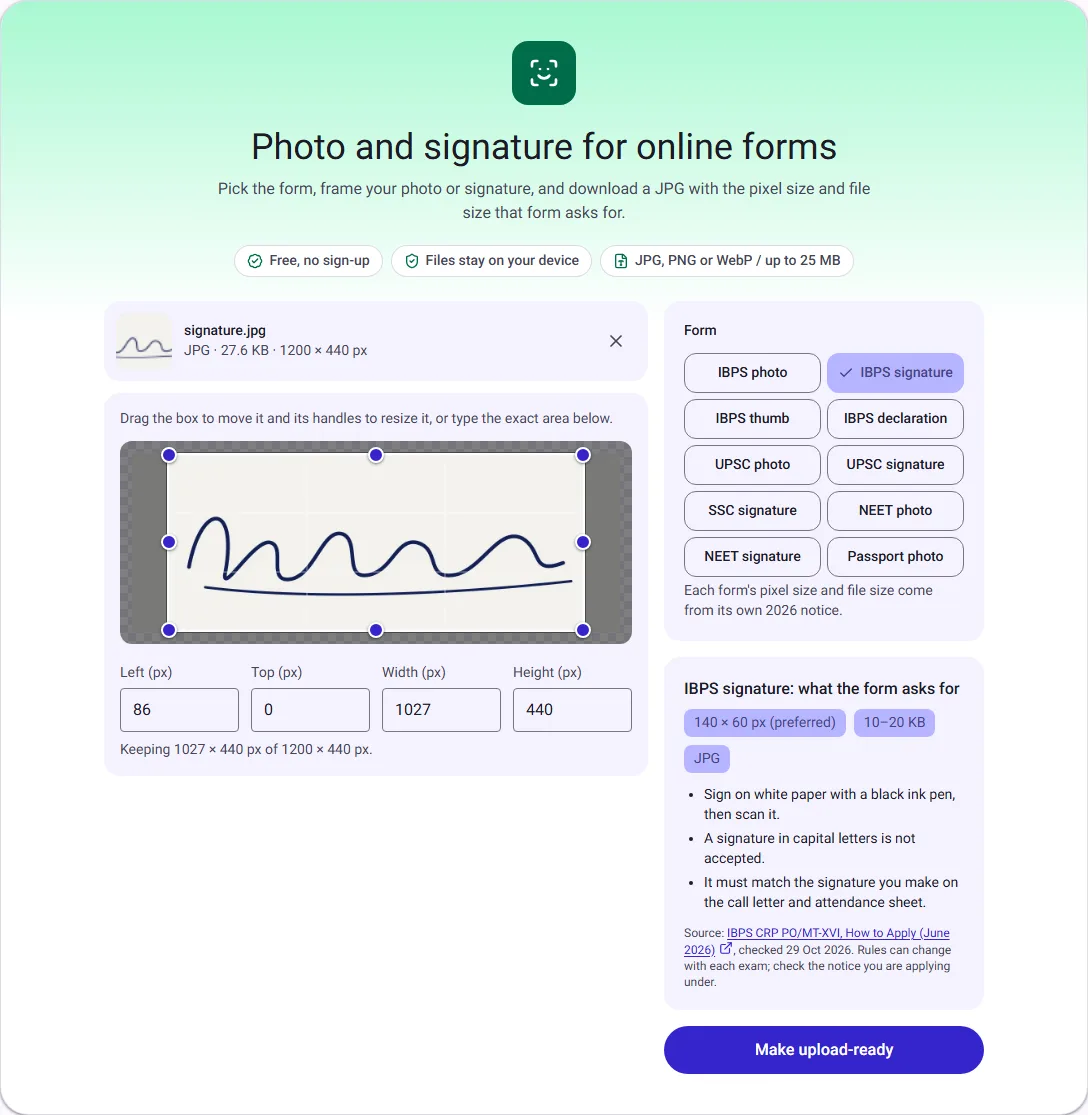
Our test signature came out at 7.3 KB at the highest quality, under the 10 KB minimum, so the tool added 3.2 KB of empty comment and said so on the result.
SSC and NEET set no pixel size for the signature, so the tool keeps your whole crop and only fits the file size. Our 1200 × 440 pixel signature, saved for SSC, came out at 18.9 KB at quality 85, under the 20 KB maximum. SSC's notice asks for a signature about 6 cm wide and 2 cm high, and names a blurred or very small signature as a reason for rejection, so crop to the signature rather than the whole sheet.
UPSC: three signatures in one image
UPSC's 2026 notice asks you to sign three times, one below the other, on plain white paper in black ink, and upload all three as one image of 20 to 100 KB. It sets no pixel size.
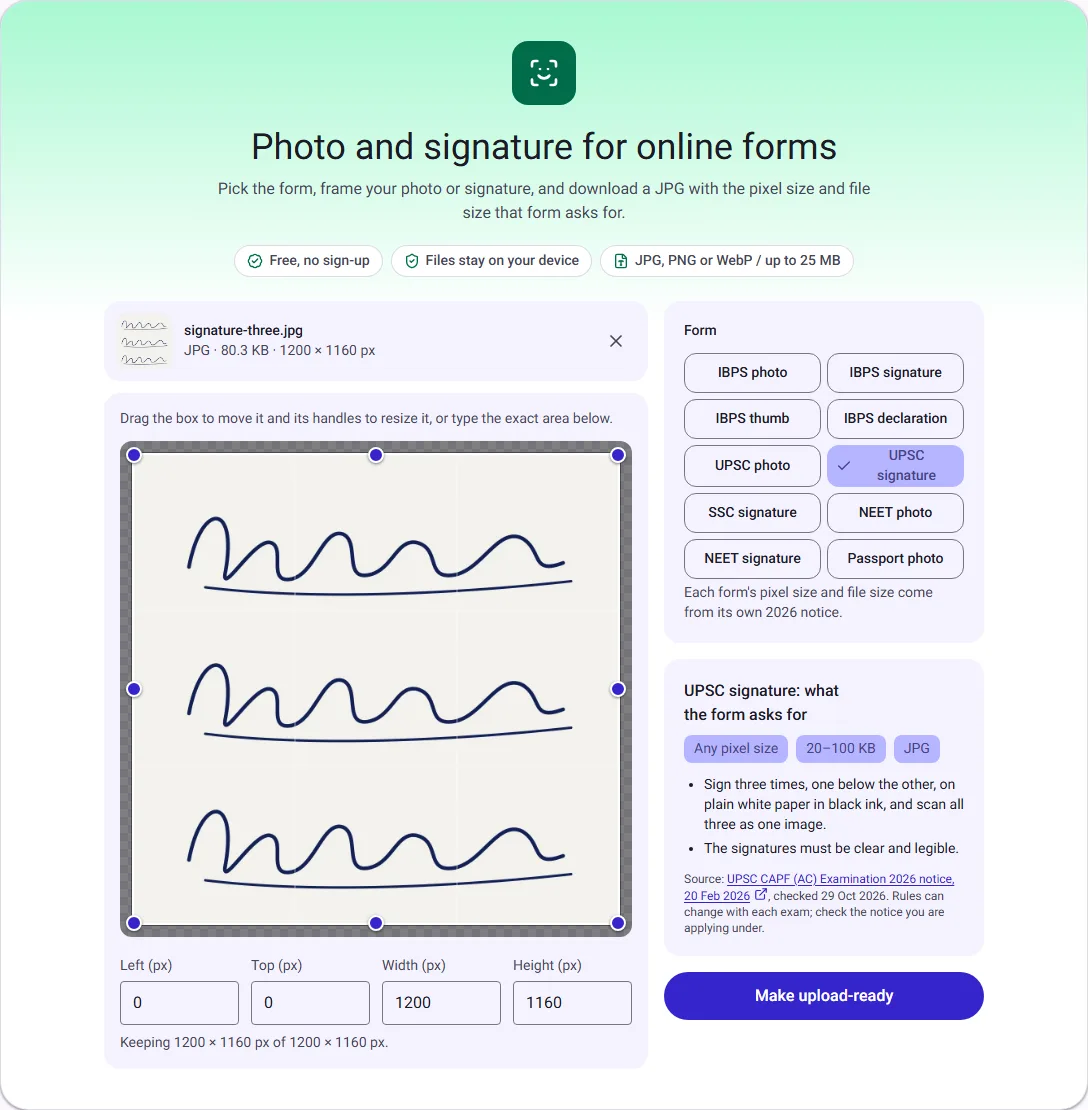
Our three-signature scan (1200 × 1160 pixels) came out at 83.7 KB at quality 92, the highest quality the tool uses when a file fits easily. A drawn portrait (1200 × 1600 pixels) for the UPSC or NEET photo came out at 75.9 KB, also at quality 92: well inside both ranges without any resizing.
Passport photo: 630 × 810 pixels
Passport Seva's guidelines for ICAO-compliant photos ask for a 630 × 810 pixel colour photo on a white background, with your head and the top of your shoulders filling 80 to 85% of it. They set no file size, so check the limit shown where you upload.
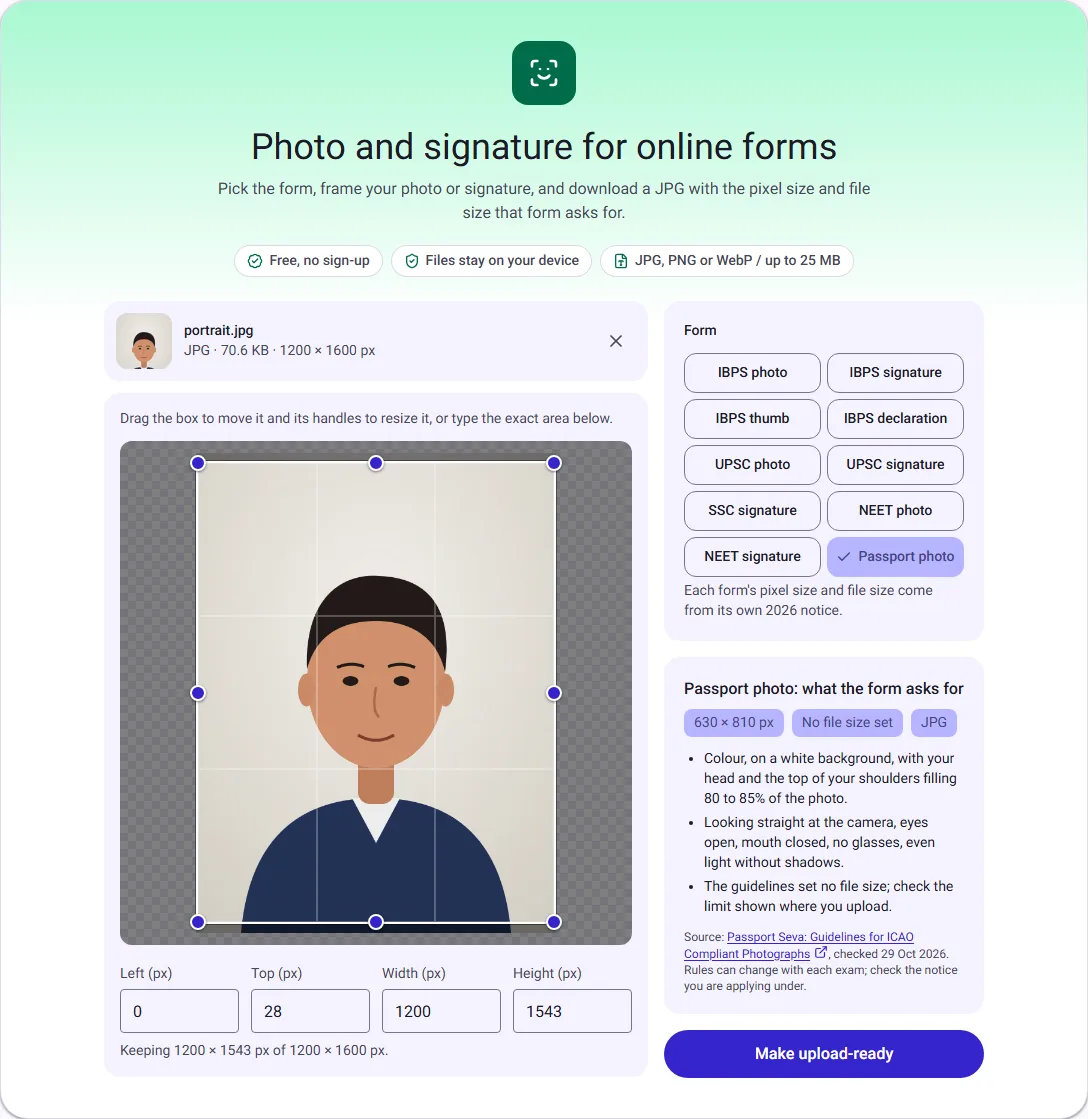
Our portrait came out at 630 × 810 pixels and 29.3 KB. The tool cuts and resizes, but it does not check how much of the photo your face fills, so drag the box in until your head and shoulders fill most of it.
Is 1 KB 1,000 or 1,024 bytes?
Notices don't say, and upload forms differ. A file of 20,300 bytes is 20.3 KB to one form and 19.8 KB to another, which matters when your file is close to the limit. The tool plays safe both ways: it keeps the file under the maximum counted as 1,000 bytes per KB, and over the minimum counted as 1,024 bytes per KB, plus a little margin. Our IBPS signature, for example, is 10,752 bytes: over 10 KB whichever way the form counts.
If you resize by hand, aim a few KB inside the range rather than right at its edge. Our guide to getting a photo under 100 KB or 200 KB covers that route with Compress image, whose Target size setting does the same job for any limit.
Before you upload
- Photo. Use a recent photo in even light on a plain white or light background, looking straight at the camera, without a cap or dark glasses. NEET's 2026 bulletin asks for a photo taken after 1 January 2026, with your face, uncovered and ears visible, filling 80% of it.
- Signature. Use the same signature you will sign at the exam, in black ink, not in capital letters.
- Check the result line. Pixel size and file size are shown on the result. If either doesn't match the notice, choose the form again and check the box.
- Phone photos carry extra data. A photo from a phone often stores the date, the phone model and sometimes your location. Forms don't need it. The tool writes a new JPG without it; if you send the original elsewhere, Remove photo metadata takes it out without changing the picture.
What the tool doesn't do
It doesn't change the background, brighten a dark photo, remove shadows or check whether your face is centred. It cuts, resizes and fits the file size; the photo you start from decides whether it passes a human check. If the box is in the wrong place, Crop image gives finer control, and our guide to image size vs resolution explains the difference between pixel size, file size and DPI.
Everything happens in your browser tab, so your photo and signature are never uploaded to us.
How we measured
We didn't use a real person's photo or signature. We drew a head-and-shoulders portrait (1200 × 1600 pixels, 70.6 KB JPG), a signature in dark blue ink on off-white paper (1200 × 440 pixels, 27.6 KB) and a sheet with three such signatures (1200 × 1160 pixels, 80.3 KB), and added fine grain so they compress like scans rather than flat drawings. On 29 October 2026 we ran each through Photo and signature for online forms in Chrome with the box left where the tool placed it, and report the size of each downloaded file. A real photo has more detail than a drawing, so your file sizes will be somewhat larger, but the pattern is the same: small pixel sizes struggle to reach the minimum, and large ones need lower quality to stay under the maximum.